
Hackathons are one of my favourite ways to learn. You have very little time, a team you often meet for the first time, and you have to decide quickly what matters and what doesn’t.
In December 2024 I joined the #BuildWithAI Hackathon 2024 by GenAI.Works as the product manager of a distributed team of six. Together we built Accessible Times, an app that turns current news into short summaries you can read, listen to or share.
Accessible Times was not our first idea. Our team came together around a tool to turn educational material into games, but then the organizers gave us a predefined challenge: AI Agents and RAG, with a daily news content generator. So we had to drop our plan and start again from a new problem, with the clock already running.
Looking back, the most valuable lesson from this project was not what we built, but what we didn’t measure.
The Problem
News is long, hard to skim and often not accessible. People with visual impairments depend on screen readers that read everything, from menus to cookie banners. Busy professionals don’t have time to read full articles. And content creators spend hours turning news into posts for different platforms.
We wanted to solve one simple question: how can anyone get the key points of today’s news in the format that works for them?
Who We Built For
I wrote three personas to keep the team focused on real needs:
- Visually impaired readers, who need a reliable, audio-first way to stay informed.
- Time-pressed professionals, who want the key points of their industry news in minutes.
- Content creators, who need shareable versions of the news.
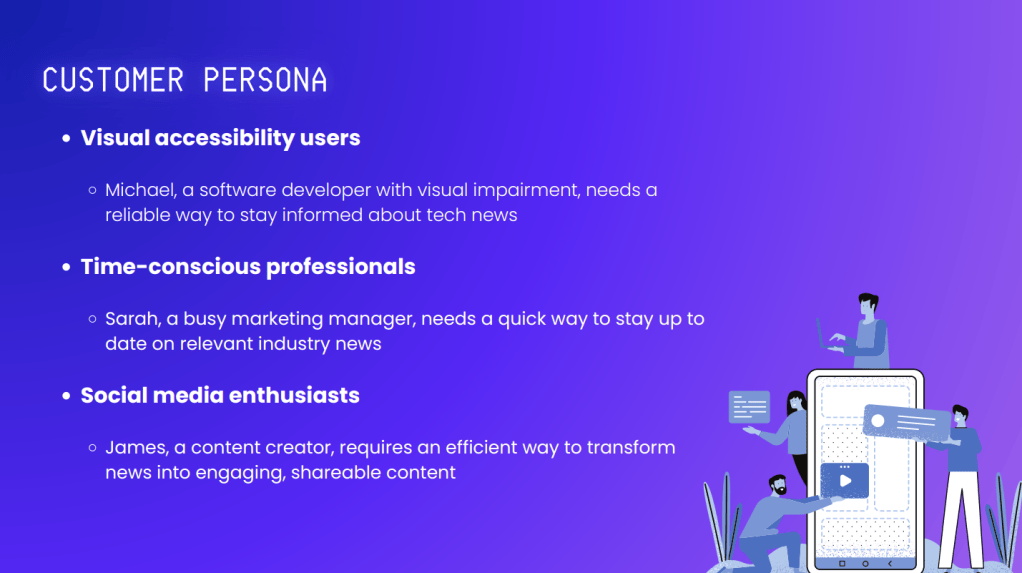
The first persona is also the most demanding one. If the product works for someone who can’t easily check the original article, it works for everyone.
What We Built
The user writes what they want to know, selects some filters, and gets a summary of current news as text, audio or image.
Under the hood, the app combines:
- NewsAPI to find current articles
- Vectara RAG (with the Mockingbird LLM) to generate summaries grounded in those articles
- ElevenLabs for text-to-speech
- Starryai for images
- A Python/Streamlit frontend
Why RAG? For news, a summary that sounds right but adds a detail that is not in the article is worse than no summary at all. Retrieval-augmented generation keeps the model close to the real sources instead of letting it answer from memory. That matters even more for a reader who will hear the summary and never see the original.
My Role
As Product Manager, I owned the product side of the project:
- Vision and goals: I defined them with the developers and coordinated the distributed team (backend, frontend and UX) during the hackathon.
- Users: I defined the target users and wrote the personas.
- Business model: a free, ad-supported tier, Premium and Enterprise plans, and discounted access for students and visually impaired users. Accessibility should never depend on paying.
- Roadmap: multilingual support, voice assistants, video summaries, personalization and sign language.
- Pitch: I created the final presentation for the jury.
What We Didn’t Measure
We shipped a working prototype, and the demo looked good. But we never checked whether the summaries were actually good. Were they faithful to the articles? Did they help someone using a screen reader? Could a free tier afford them?
In a hackathon, that’s normal. In a real product, it’s the most important question. So this is how I would approach it today, before writing any code.
1. Grounding: is every sentence supported by the article?
I would build a test set of 50 articles and label the summaries by hand first. Then I would use an LLM as a judge, but only after checking that it agrees with my own labels. An automated evaluation is only useful if you trust it.
Launch bar: at least 95% of sentences supported by the source, and zero invented names, numbers or quotes.
2. Usefulness: does it help real users?
I would test with 3–5 screen reader users on real tasks, such as “find out what happened with topic X today”.
Launch bar: they get the answer faster than with their current tools, and they say they would use it again.
3. Cost and latency: can we afford it, and is it fast enough?
Every summary has a cost: retrieval, the LLM call and the audio. In our business model, the free tier included 5 summaries a day. That only works if each summary is cheap enough, so the cost per summary decides whether the business model works at all. And for audio, waiting too long breaks the experience.
Launch bar: a target agreed with engineering, for example audio starting in under five seconds, at a cost per summary that 5 free summaries a day can sustain.
4. Trust: what happens when the AI is wrong?
No model is perfect, so the product has to plan for mistakes. Each summary would link to its original articles, and users could report an error with one click. Those reports would go back into the test set.
5. Scope: start smaller
I would launch only the audio-first accessible summary and leave images and social sharing for later. Three formats meant three times the work and three times the things to evaluate.
How I Would Measure Success After Launch
- How many users listen to a summary until the end
- How many come back the next week
- How many errors users report per 100 summaries, and whether that number goes down over time
- Cost per active user, to know if the free tier is sustainable
Key Takeaway: A Good Demo Is Not a Good Product
With generative AI, building something that looks impressive in a demo is easy. Knowing whether it is good enough to put in front of real users is the hard part, and that’s where product work really starts.
Today, I see evaluation as part of the product definition, not something you add at the end. If I can’t say how I will know the AI is working, I’m not ready to build it yet.
Links
If you’d like to see the code and the demo, you can find them here:




Leave a Reply